 When a heatwave, thunderstorm or major weather alert is announced, the hardest part is not always finding the information. It is knowing what to do, for yourself and for those close to you.
With Emergency 6.1, I wanted to make prevention easier to access, without turning the app into just another weather app. The goal remains the same: helping you react quickly and find the right information when it matters most.
Major weather alerts directly in Emergency
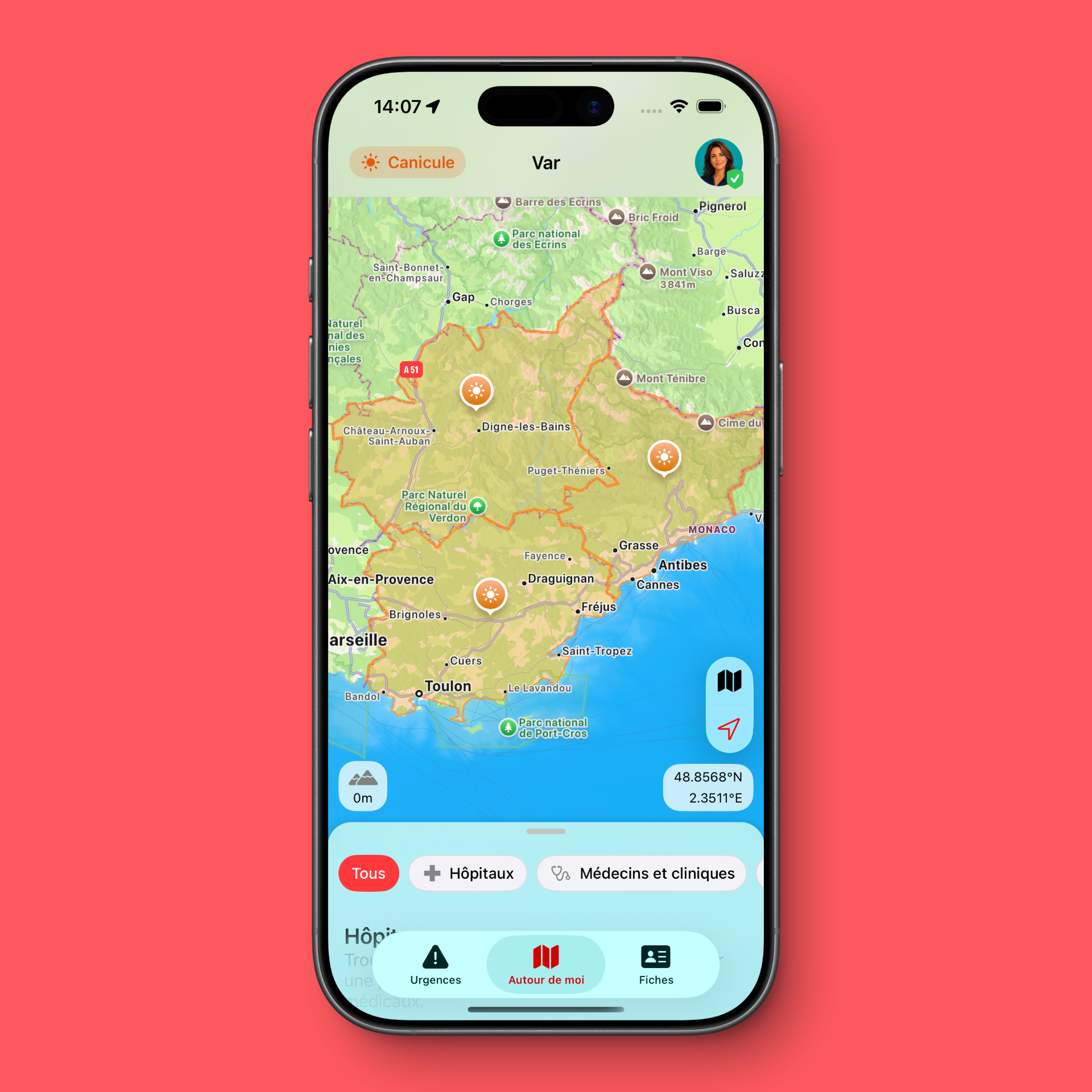
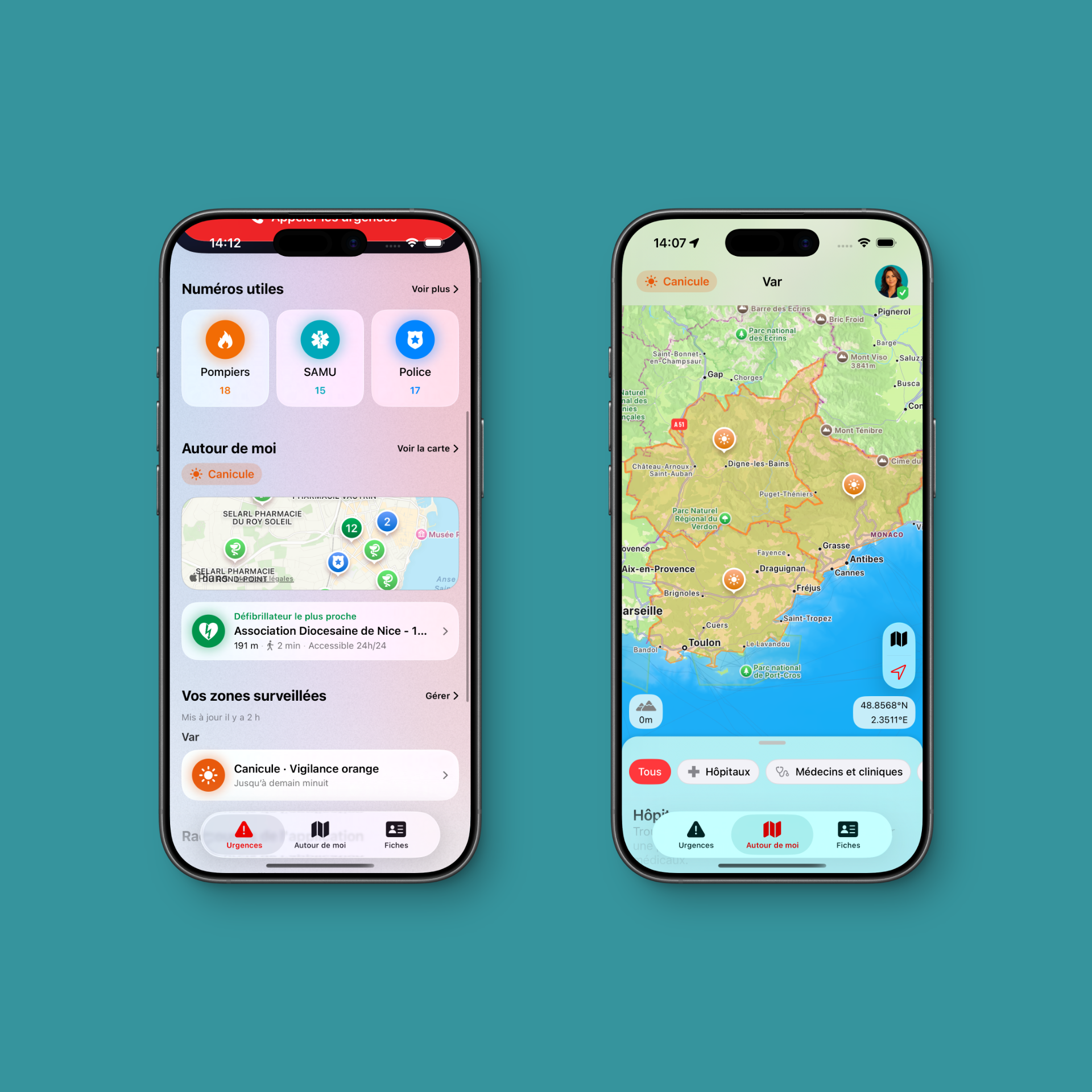
The main new feature in this version is the arrival of major weather alerts on the app’s home screen.
When a weather warning is in effect, Emergency can now display an alert under the “Around me” section. Heatwaves, cold weather, thunderstorms, strong winds, heavy rain and flooding, or wildfire risks: the information appears when it deserves your attention.
This is not a detailed hour-by-hour forecast. It is useful information, shown quickly, to help you prepare for a situation that could become dangerous.
Heatwave: the right steps to take
Periods of extreme heat require particular attention, especially for babies, young children, older adults, people living alone, pregnant women, people with health conditions and pets.
During a heatwave, a few simple actions can already help reduce the risks:
- drink water regularly, without waiting until you feel thirsty;
- keep your home as cool as possible by closing shutters and curtains during the day;
- avoid physical exertion and travel during the hottest hours;
- regularly check in on vulnerable or isolated people;
- never leave a child, vulnerable person or pet in a parked car.
In the event of fainting, confusion, loss of consciousness, breathing difficulties or any worrying condition, call emergency services immediately. In Europe, dial 112.
Prevention advice adapted to each alert
An alert only matters if it helps you act. That is why Emergency 6.1 does not just display a warning: it can also open a prevention page with the first steps to take depending on the risk.
For a heatwave, you will find essential advice to cool down, look after vulnerable people and recognise situations that require calling emergency services. For heavy rain and flooding, thunderstorms, strong winds or wildfires, the guidance is adapted to the situation.
When a situation becomes worrying, the app also gives quick access to the “I don’t know what to do” journey, helping guide you to the right emergency number, first-aid information or a useful nearby place.
Follow the areas that matter to you with Emergency+
A weather alert does not always concern the place where you are. You may be away and want to know whether your parents, children, home or holiday destination are affected by a major warning.
With Emergency+, the new “Your monitored areas” section lets you see important alerts for the locations you have selected. Weather notifications are also adapted to the language of your app.
This feature was designed to help you prepare: call a loved one before a heatwave, check that they have water and a cool place to stay, or adapt a journey before a more serious weather event.
Emergency is an assistance app, not a replacement for emergency services
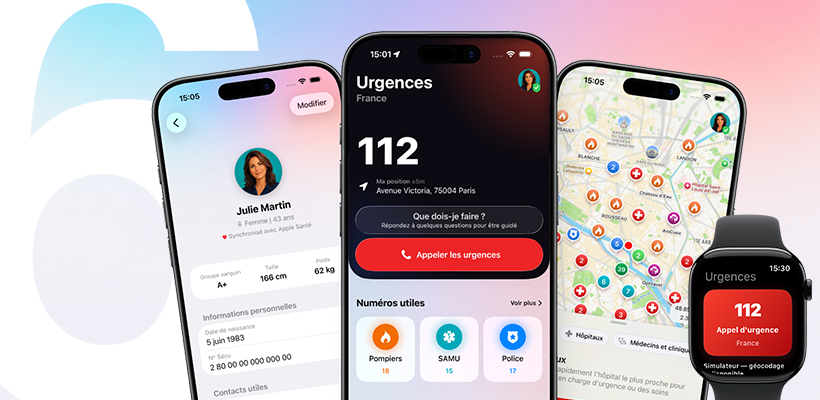
Emergency brings together essential information to help save time: emergency numbers adapted to your country, first-aid guidance, defibrillators and useful places nearby, medical cards for you and your loved ones, widgets and Apple Watch features.
Version 6.1 adds a new layer of prevention for weather-related risks, but it does not replace official guidance or emergency services. In the event of immediate danger or any doubt about someone’s health, call emergency services without delay.