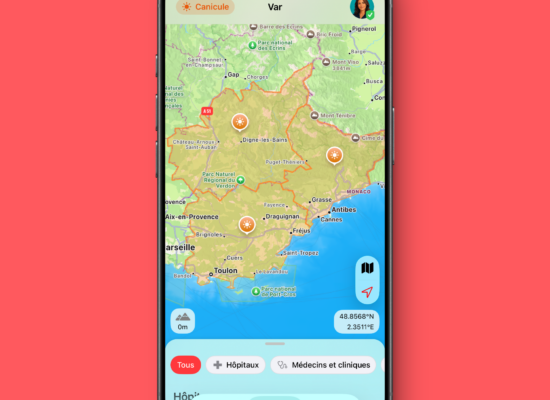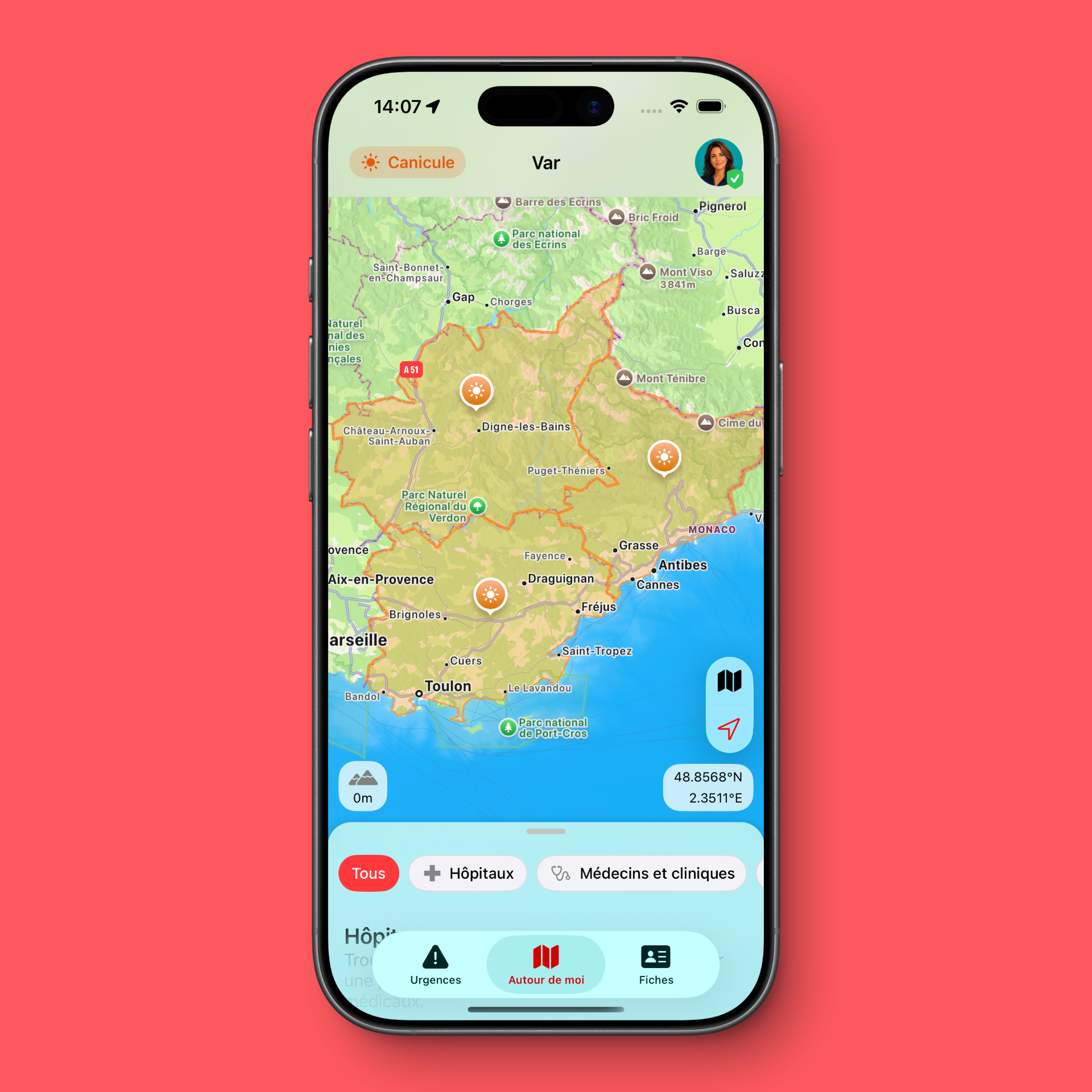
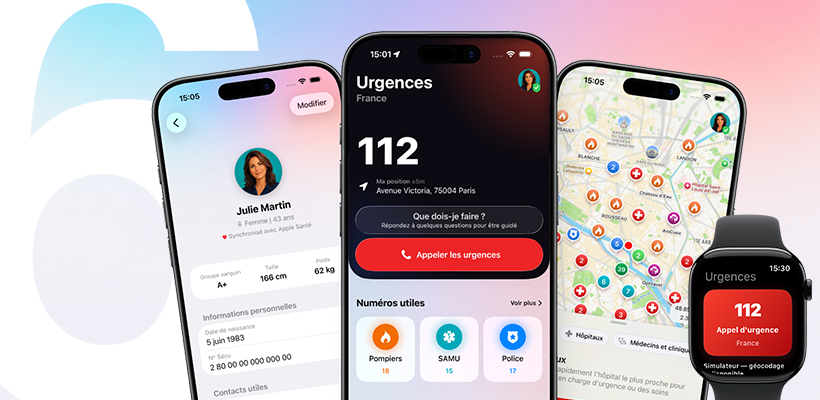
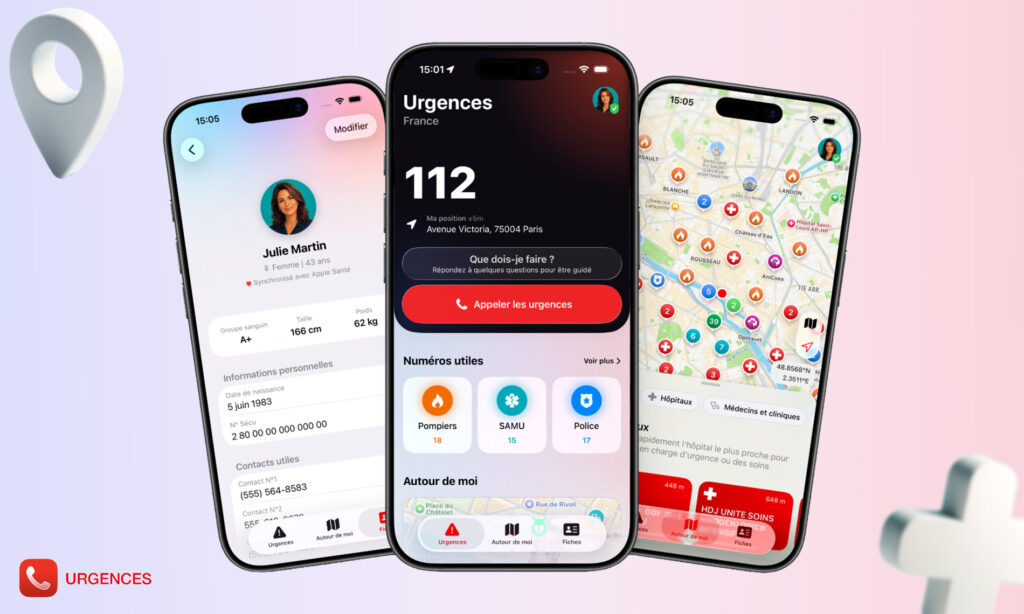
Emergency 6.0 is available on the App Store. This new version marks an important step for the app: a redesigned interface, better visibility for essential features, new guided assistance, an enhanced map, more useful medical profiles, widgets and a more direct Apple Watch integration.
Emergency has existed since 2010. At the beginning, the idea was simple: to offer quick access on iPhone to emergency numbers, first aid instructions and a personal medical profile.
Since then, the app has evolved a lot. So has the iPhone. User habits have changed, widgets have arrived, Apple Watch has become more important, maps have become more useful, and users now expect an app that is simpler, faster and clearer.
With Emergency 6.0, I wanted to rethink the app in depth to better answer one essential question: what should an emergency app display when the user has no time to think?
An emergency app designed for the first seconds
In an emergency situation, the problem is not only knowing a number. Very often, the real problem is knowing what to do, in what order, and without wasting time.
You may panic, hesitate, look for the right contact, no longer know whether you should call, check first aid instructions, find a defibrillator, a pharmacy, a hospital, or simply share the right information.
Emergency 6.0 was designed around this reality.
The goal is not to replace emergency services, a doctor or first aid training. The goal is to help you access useful information, the right numbers, nearby places and important data more quickly.
A clearer new home screen
The new version introduces a more direct home screen, focused on the actions that are truly useful.
As soon as you open the app, Emergency gives more visibility to the important elements: country-specific emergency calls, useful nearby places, the medical profile, first aid instructions, the guided assistance flow, widgets and Apple Watch.
I wanted to avoid the “feature catalogue” effect. An emergency app should not ask the user to think for a long time. It must guide, organize and simplify.
The right emergency numbers for your country
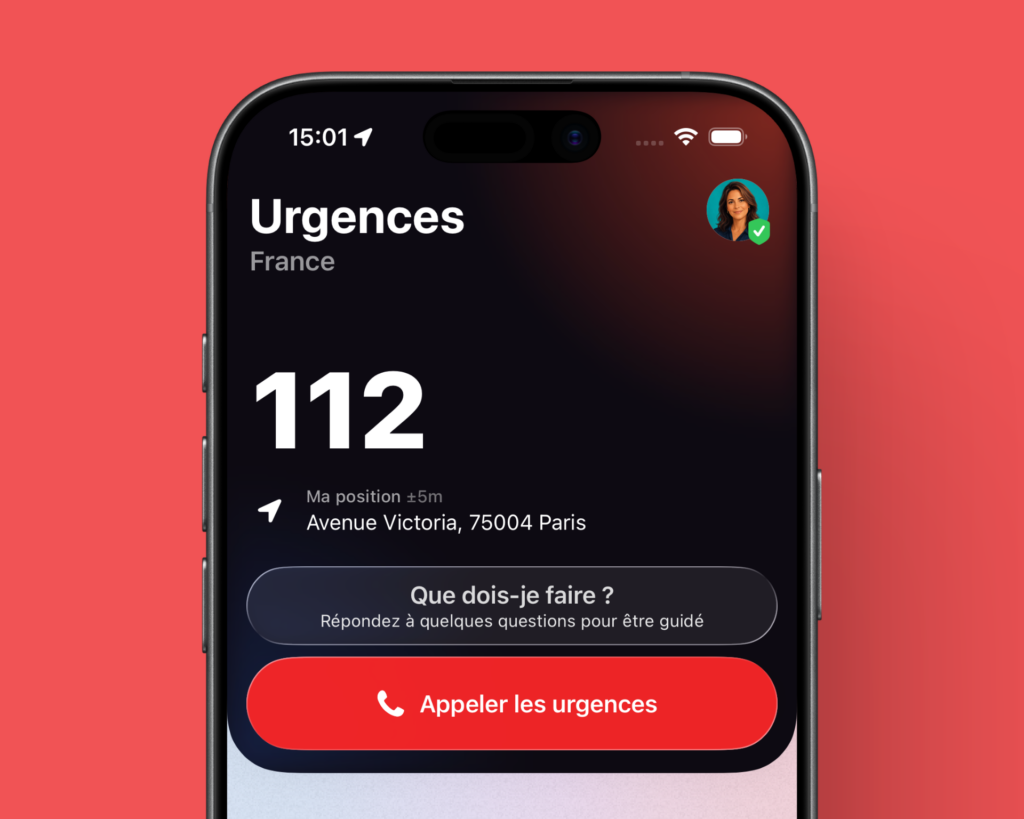
Emergency displays useful numbers according to your country or your location.
This is especially important when travelling. People usually know the emergency numbers in their own country, but much less often those of a neighbouring country or a place they are visiting.
The app helps you quickly find the right numbers to contact emergency services, medical services, police, fire services or other useful services depending on the country.
This feature is also available across different parts of the app, including on iPhone, widgets and Apple Watch.
A map of emergency places around you
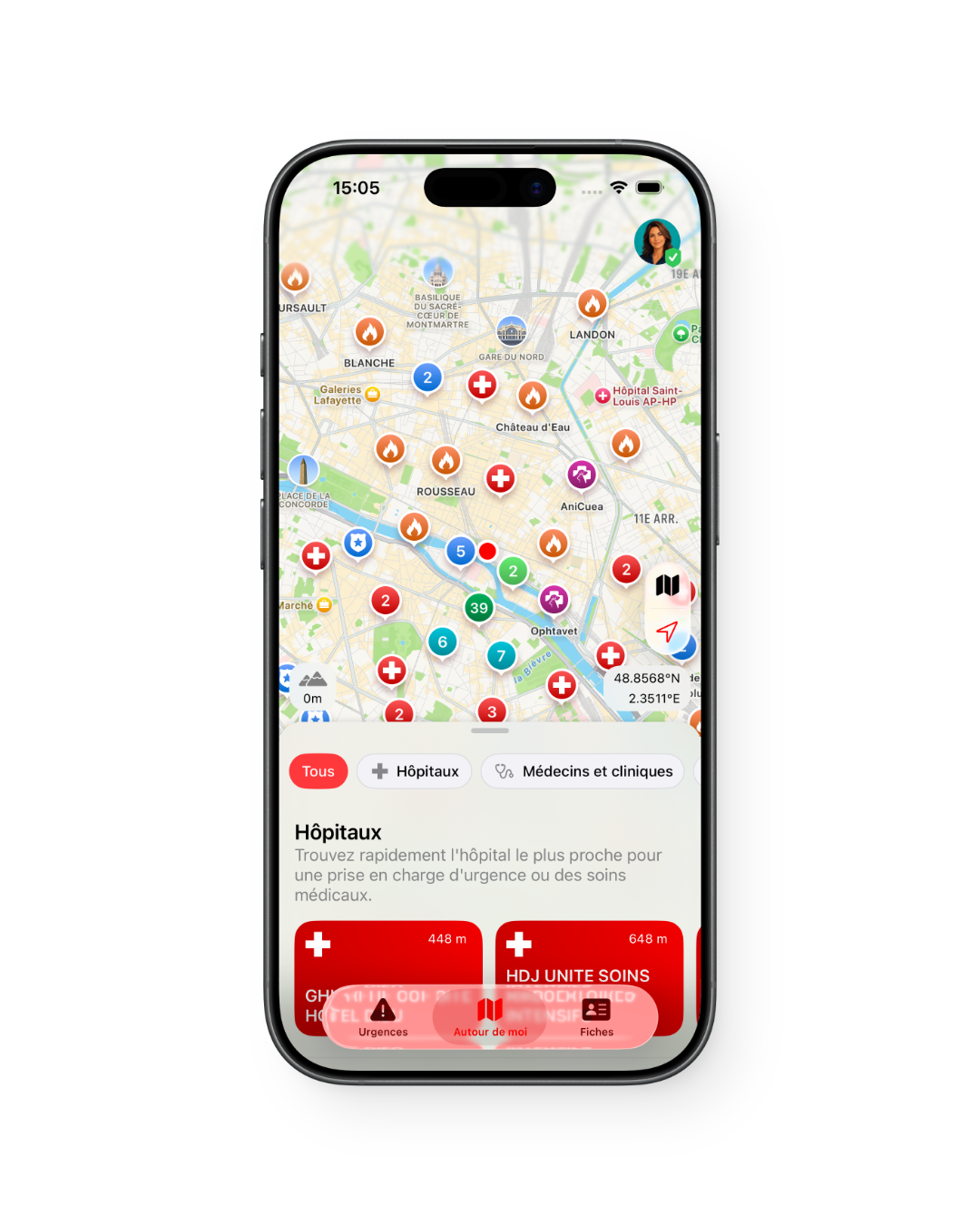
Emergency 6.0 also gives much more visibility to useful nearby places.
The map lets you find different types of points of interest related to emergencies or safety:
- defibrillators;
- hospitals;
- doctors and clinics;
- pharmacies;
- police;
- fire stations;
- veterinarians.
Coverage is based on many areas and on data that may vary depending on countries, regions and available sources. This is ongoing work, because a useful map must remain fast, readable and relevant enough to be consulted at an important moment.
The goal is simple: not only to display a number, but to help you quickly find a useful place around you.
The new guided assistance flow: “I don’t know what to do”
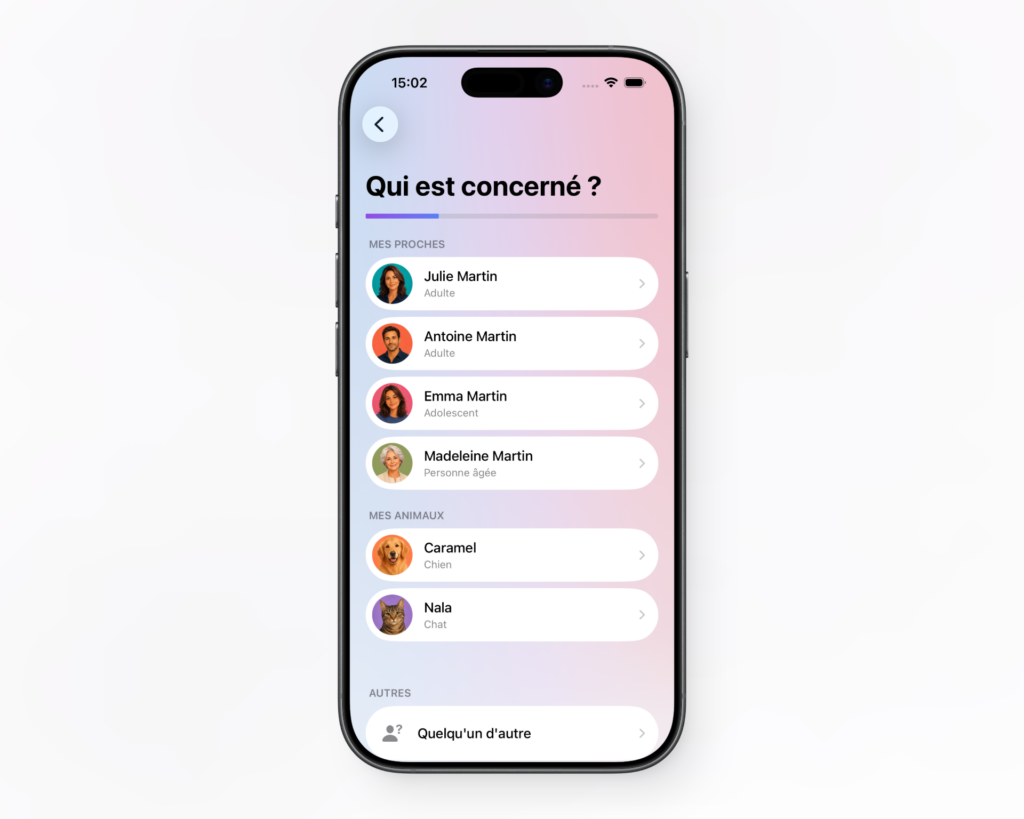
This is one of the important new features in this version.
In a stressful situation, it is often difficult to know where to start. Should you call? Look for a defibrillator? Check first aid instructions? Find a pharmacy? Contact a veterinarian?
The new guided assistance flow starts from this very concrete situation.
You answer a few simple questions, then Emergency guides you toward a clearer action: the right number, the right steps, the appropriate first aid instruction or the nearest useful place.
This flow does not make a diagnosis and obviously does not replace emergency services. It is designed to reduce confusion and help the user move forward when they do not know what to do.
I see this feature as an important foundation for the future of the app, because it answers a real need: in an emergency, people are not only looking for a list of information, they are looking for direction.
Medical profiles for you, your loved ones and your pets
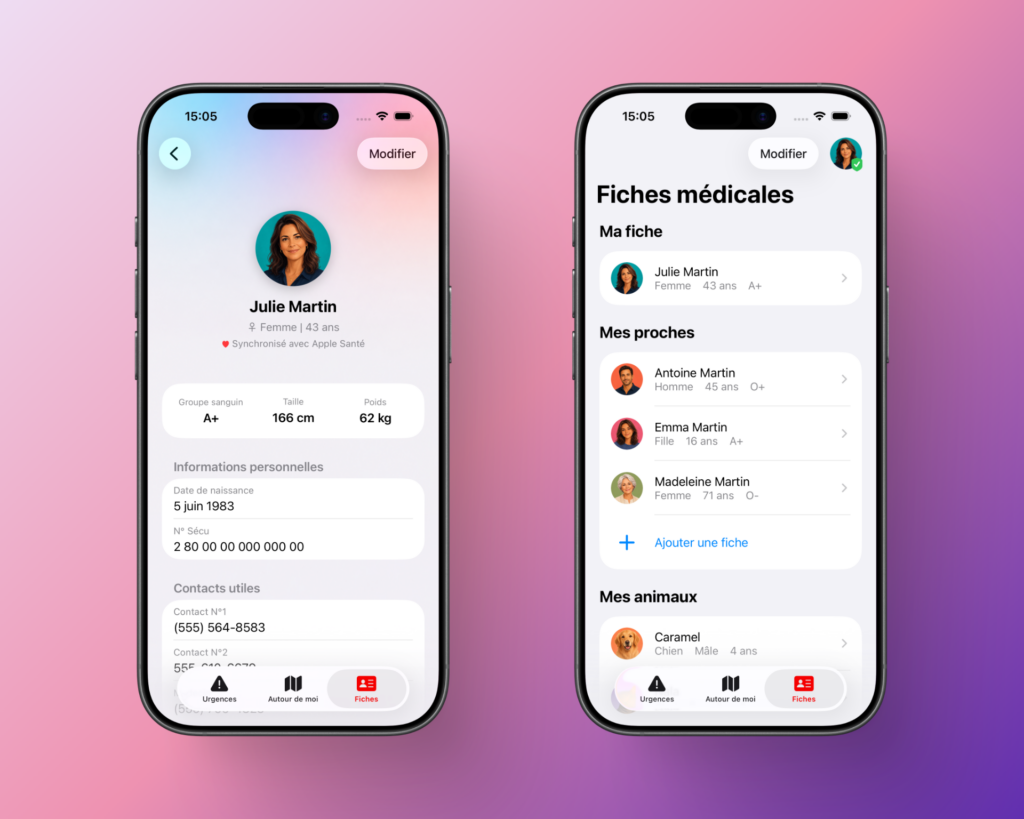
The medical profile remains one of the pillars of Emergency.
It allows you to store important information: identity, blood type, treatments, allergies, medical conditions, useful contacts, doctor, essential medical information or any data that could help in case of a problem.
In Emergency 6.0, medical profiles take on even more importance.
The idea is not only to create a profile for yourself. You can also prepare profiles for your loved ones, your children, a vulnerable person, an elderly parent or even a pet.
In an emergency, having the right information in one place can prevent you from searching through contacts, papers, messages or several different apps.
Widgets to keep the essentials accessible
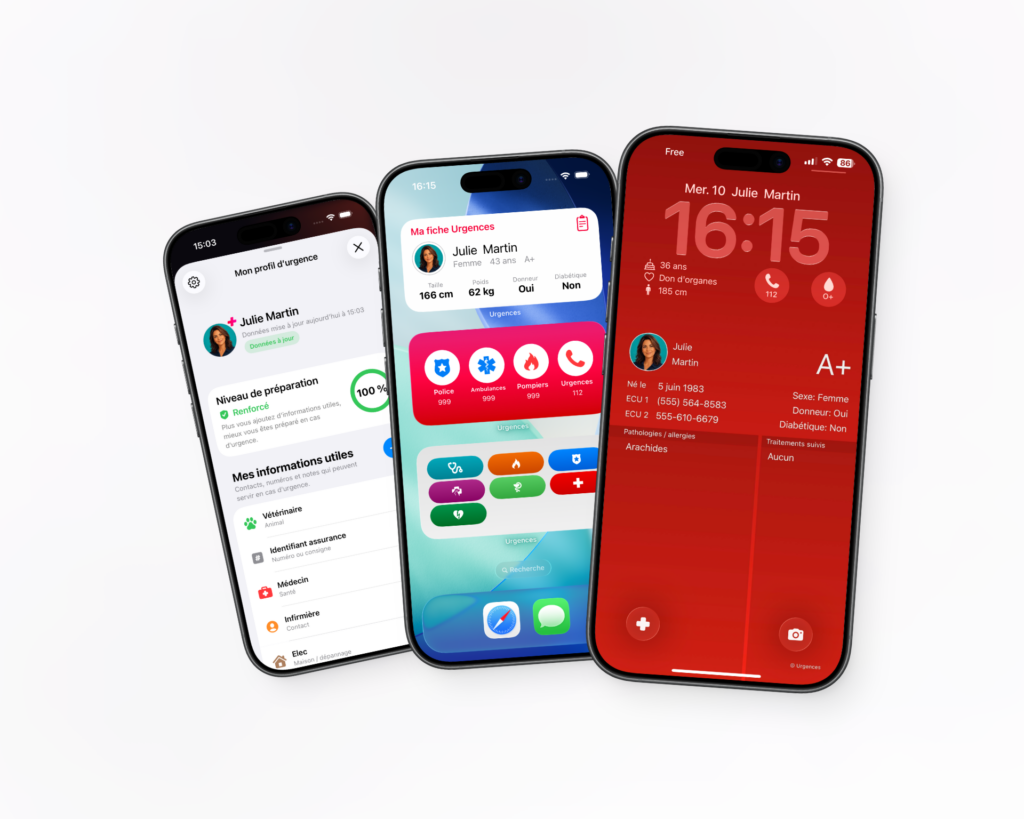
Widgets make certain information more accessible, including from the Lock Screen depending on your iPhone settings.
Emergency offers widgets to access medical information, emergency numbers and important features more quickly.
The goal is simple: to avoid having to search through your phone at the wrong moment.
With iOS, user habits are evolving a lot around the Lock Screen, widgets and shortcuts. Emergency 6.0 continues in this direction: making important information more visible, faster and easier to find.
Better integration with Apple Watch
Apple Watch also takes on more importance in this new version.
Emergency 6.0 offers more direct access to essential features from the watch, including the country-specific emergency call and the display of useful information such as your location.
This matters because the iPhone is not always in your hand. It may be in a pocket, in a bag, placed somewhere else or difficult to handle.
In some situations, Apple Watch can become the fastest shortcut.
CPR assistance on Apple Watch
Version 6.0 also adds dedicated CPR assistance on Apple Watch.
The goal is to support the user with a visual and haptic rhythm to help maintain a consistent pace.
This feature does not replace first aid training. It also does not replace instructions from emergency services. But it can help provide a reference point in a moment when stress can make it difficult to stay focused.
First aid instructions remain accessible
Emergency keeps its illustrated first aid instructions.
The goal remains the same: to offer clear information that is easy to consult and short enough to be useful in a tense moment.
A long text is rarely suitable for an emergency. Simple, well-presented information can be much more useful.
The first aid instructions available in the app do not replace official training. If you can, it is always better to take first aid training. But having a reminder accessible on your iPhone can be valuable.
Weather alerts with Emergency+
Emergency+ continues to offer additional features, including weather alerts.
Weather can have a direct impact on safety: thunderstorms, strong winds, heavy rain, significant risks or dangerous conditions.
In an emergency app, weather is not a gimmick. It is also a prevention feature.
The role of Emergency+ is to add useful features without making the app more complicated.
A free app, with advanced features in Emergency+
Emergency remains free to download.
I want to keep this approach, because the basic features must remain accessible to as many people as possible.
Emergency+ helps support the development of the app and provides access to certain advanced features. It is also what allows me to keep improving the project, maintaining data, fixing issues, evolving the interface and developing new ideas.
Emergency is an independent project. I work on it alone.
Every improvement takes time: iOS development, Apple Watch, widgets, geolocated data, translations, interface, testing, fixes, App Store, website, documentation.
This is not a large organization. It is a long-term project, built around a simple idea: to offer an app that is useful, serious, accessible and pleasant to use.
A modernized interface for iOS
This new version also improves the visual experience.
The app needed to remain recognizable, but it also needed a more modern, smoother, more readable interface that feels more consistent with recent versions of iOS.
I worked on screens, buttons, information hierarchy, cards, shortcuts, profiles, widgets and transitions.
The goal was not simply to make the app more pleasant. In an emergency app, design must first serve understanding.
Good design must reduce hesitation. It must make choices obvious. It must help users know where to tap, without having to think for too long.
Why this version matters
Emergency 6.0 is not a small update.
It is an important step because it repositions the app around three strong ideas:
- call faster with the right numbers according to the country;
- understand what to do thanks to guided assistance and first aid instructions;
- find the essentials around you with emergency places, medical profiles, widgets and Apple Watch.
Since 2010, Emergency has pursued the same goal: to be useful in moments when you do not want to search.
This version takes that idea further.
It makes the app more complete, but also more direct. It adds new possibilities without losing the original spirit: a simple, fast app, designed for situations where every second can count.
A useful app before the emergency
An emergency app is prepared before the emergency.
Creating your medical profile, adding important information, checking contacts, installing a widget, looking at useful places around your home, discovering the guided assistance flow or opening the app for the first time only takes a few minutes.
But on the day a situation becomes stressful, those few minutes can prevent a lot of confusion.
I therefore encourage you to update the app, open it, check your information and take the time to configure what may be useful to you.
Download or update Emergency
Emergency 6.0 is available on the App Store for iPhone.
If you already have the app, you can simply update it from the App Store.
If you do not have it yet, you can download it for free and take a few minutes to create your medical profile, discover useful numbers, display emergency places around you and try the new guided assistance flow.
Download Emergency for free on the App Store
Thank you
Emergency is a project I have been developing for a long time, with a lot of care.
Messages, reviews, user feedback and testimonials help me keep improving it. Some comments directly influenced the choices made in this version.
If the app is useful to you, you can support it by leaving a review on the App Store, sharing it with people around you, or discovering Emergency+.
And if you have a suggestion, I continue to read the messages.
Morgan CAMILLERI
Creator and developer of the Emergency app