
In an emergency, every second counts. But contacting emergency services, finding the right number, sharing your location or accessing your medical information can become difficult if you are stressed, hard of hearing, visually impaired, elderly, living with a disability, or simply in a situation where speaking is not easy.
To meet this need, the Emergency app includes several features designed to make access to emergency services simpler, faster and more accessible.
The goal is clear: to help everyone find the right action at the right time, with a readable, direct interface adapted to critical situations.
An emergency app designed for speed
Emergency is not a complex medical app. It was designed to focus on what matters most: calling emergency services, checking useful emergency numbers, finding nearby emergency locations, accessing a medical profile or viewing first aid guidance.
This simplicity is already a form of accessibility.
When someone is panicking, shaking, struggling to see the screen or unsure which service to contact, an overloaded interface can waste precious time. Emergency therefore prioritizes visible actions, short user journeys and a clear presentation of important information.
A mode for deaf and hard-of-hearing users
One of the app’s important features is its deaf and hard-of-hearing mode.
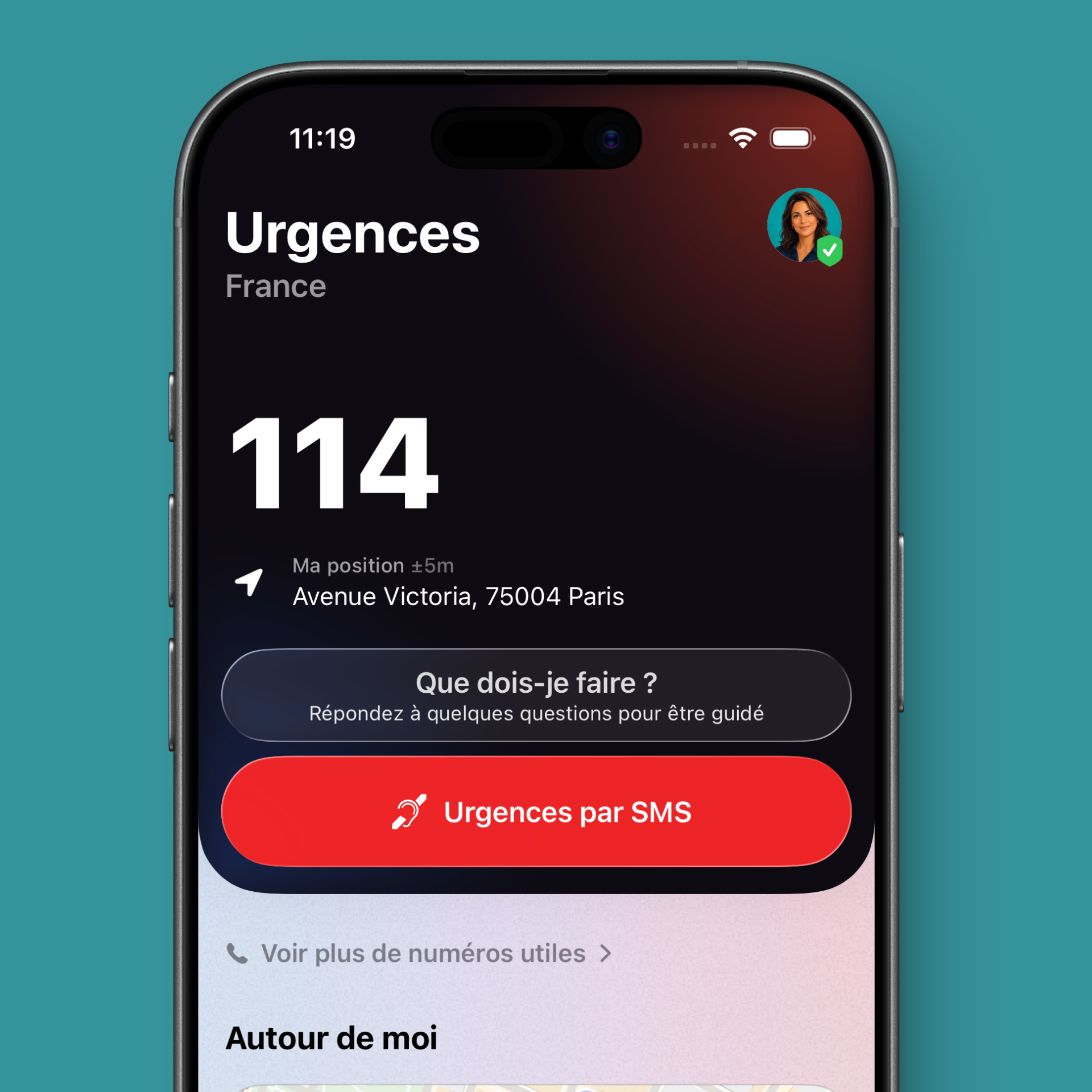
In France, this mode can notably highlight 114, the emergency service accessible in writing for people who are deaf, hard of hearing, aphasic or dysphasic.
This is essential: not everyone can call emergency services by voice. In some situations, sending a message may be more appropriate, or even indispensable.
Emergency therefore better supports users who need a non-voice emergency contact channel.
114: an essential emergency number to know
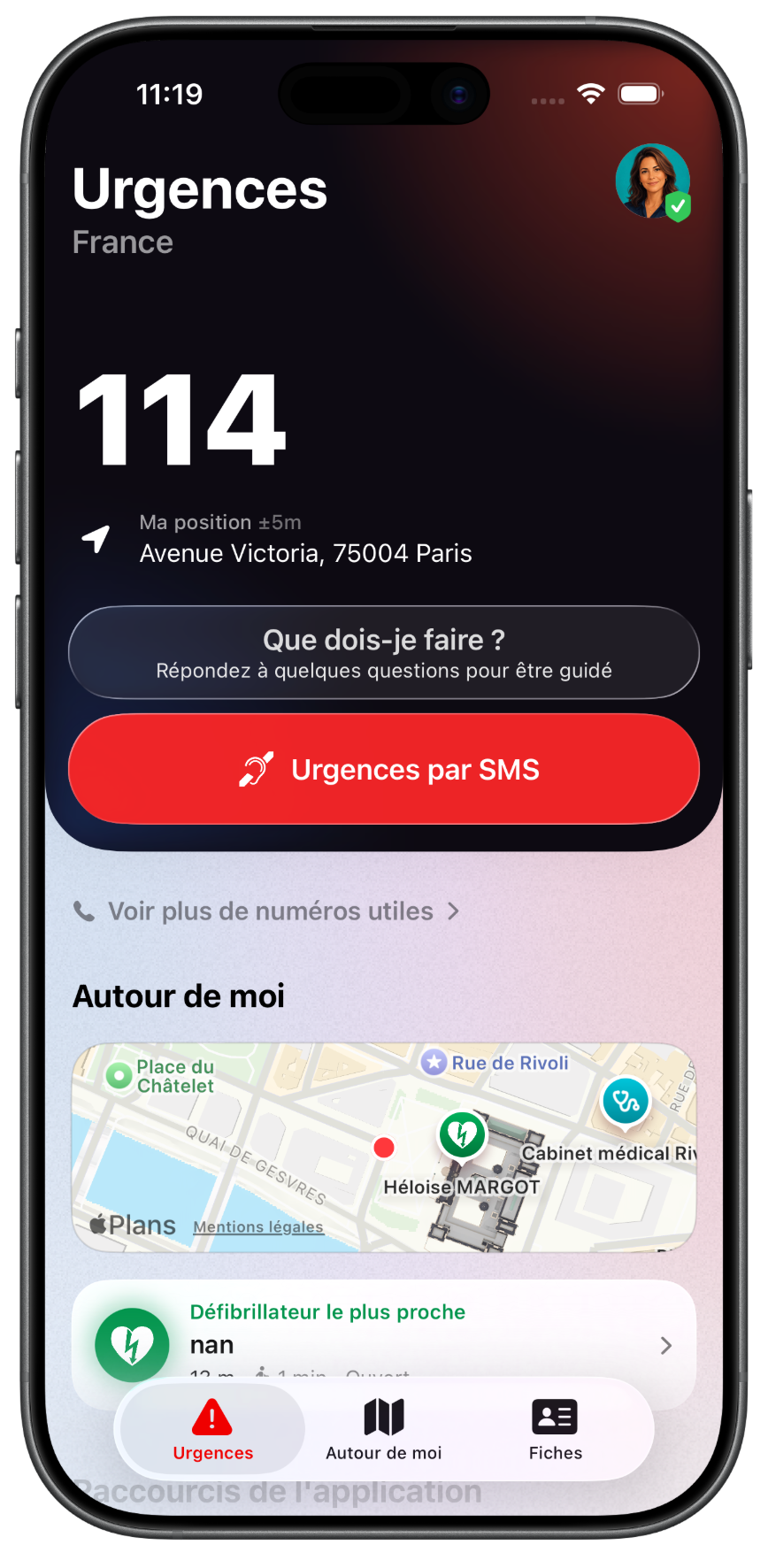
114 is the French emergency number dedicated to people who have difficulty hearing or speaking. It allows users to contact emergency services in writing.
In Emergency, this logic is integrated to make it easier to access the right channel when deaf and hard-of-hearing mode is enabled.
This is a particularly important feature, as many users are still unaware of this number. Making it visible in an emergency app can help better prepare the people concerned, their relatives and caregivers.
SMS actions depending on compatible countries
Emergency is not limited to France. The app adapts its emergency numbers according to the country and can offer SMS actions when the country and local service allow it.
This approach is especially useful when travelling or for users living abroad.
Not all countries offer the same SMS-accessible emergency services. The app therefore remains adapted to the local context and offers the available actions according to the information built into the app.
Improved VoiceOver support
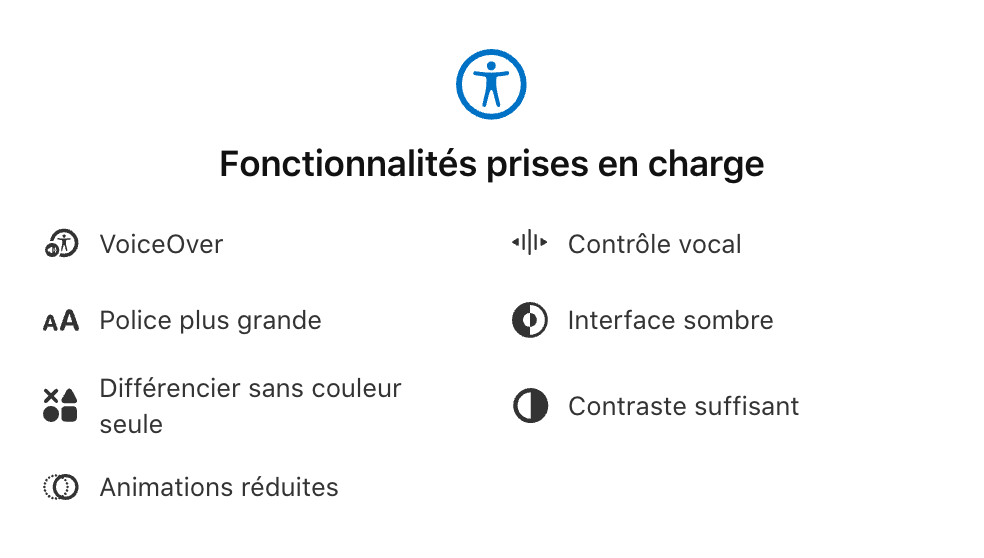
Accessibility also depends on compatibility with iOS assistive technologies.
Emergency is progressively improving its support for VoiceOver, Apple’s screen reader used by blind or visually impaired people.
Improved VoiceOver reading helps users more easily understand buttons, important actions and the information displayed on screen.
In an emergency app, this work is particularly important: a poorly described button or information that is not read clearly can create confusion at the exact moment when the user needs to act quickly.
A more comfortable interface with large iOS text sizes
Some people use their iPhone with a larger text size. This is common among elderly users, visually impaired users, or simply people who want a more comfortable reading experience.
Emergency improves its interface to remain more readable with large iOS text sizes.
This applies in particular to important screens, medical profiles and elements that need to remain quickly understandable.
The goal is not only to enlarge text, but to preserve a usable, clear and structured interface even when the display size increases.
Apple Watch: accessing emergency services more easily
Emergency also offers an Apple Watch experience.
From the watch, users can access essential information more quickly, such as the main emergency number adapted to their country, their location, or useful information to share with emergency services.
This is a real advantage in an emergency: the iPhone is not always easy to take out, unlock or use. The watch can become a more direct access point, especially if the user is on the move, injured or under stress.
Widgets to keep essential information accessible
Emergency also offers widgets to access certain information faster.
Widgets can help display important medical information, find emergency numbers more quickly or access useful nearby locations.
From an accessibility perspective, widgets reduce the number of required steps. Users do not always need to open the app, search through menus or remember where the information is located.
A medical profile that can be accessed quickly
Emergency allows users to create an emergency medical profile containing important information: identity, blood type, treatments, medical conditions, allergies, emergency contacts or other useful details.
This profile can help emergency services or relatives quickly find essential information in case of a problem.
The medical profile is particularly useful for elderly people, people with medical follow-up, families, caregivers or users who want to prepare their iPhone in case of an emergency.
Accessibility that is useful every day, not only in case of disability
Accessibility is not only about people with permanent disabilities.
In an emergency, anyone can become temporarily limited:
- inability to speak;
- high stress;
- loss of orientation;
- reduced vision;
- busy or shaking hands;
- need to act very quickly;
- language barrier abroad.
This is why an emergency app must be designed to be understood quickly, by as many people as possible, in sometimes difficult contexts.
Why install an accessible emergency app?
Installing an app like Emergency helps you better prepare your iPhone for unexpected situations.
The app can help you:
- contact emergency services faster;
- find the right number depending on the country;
- access 114 in France for deaf and hard-of-hearing users;
- retrieve important medical information;
- locate nearby emergency places;
- use widgets to access essentials faster;
- benefit from improved readability with VoiceOver and large iOS text sizes.
An app that continues to evolve
Emergency is regularly updated to improve its clarity, reliability and accessibility.
The challenge is important: an emergency app must remain simple, understandable and usable by as many people as possible.
The improvements around deaf and hard-of-hearing mode, 114, VoiceOver, large text sizes, widgets and Apple Watch all move in the same direction: making access to emergency services more direct and more accessible.
Conclusion: making emergencies more accessible
A good emergency app should not only provide numbers. It should help users act quickly, even in a moment of stress, doubt or difficulty.
With its deaf and hard-of-hearing mode, access to 114 in France, progressive VoiceOver support, interface adapted to large iOS text sizes, widgets and Apple Watch experience, Emergency aims to make access to emergency services simpler for everyone.
Preparing your iPhone before an emergency happens can save time when every second counts.