
Prepare your iPhone for emergencies: Medical ID, SOS, Apple Watch and useful locations
An iPhone can be very useful in an emergency, provided you have configured the right tools before you need them. Medical ID, Emergency SOS, Apple Watch, emergency contacts, useful numbers and specialized apps can all help save time.
This page summarizes the key habits to know and explains how the Emergency app can complement the features already available on iPhone.
Download Emergency on the App Store
In an immediate emergency: call emergency services
Before anything else, an app should never delay a call to emergency services. In France, the main numbers to know are:
- 15: SAMU, medical emergency service;
- 17: police or gendarmerie;
- 18: fire brigade;
- 112: European emergency number;
- 114: emergency service by SMS, chat, video or images for people who are deaf, hard of hearing, aphasic, or when it is impossible to speak.
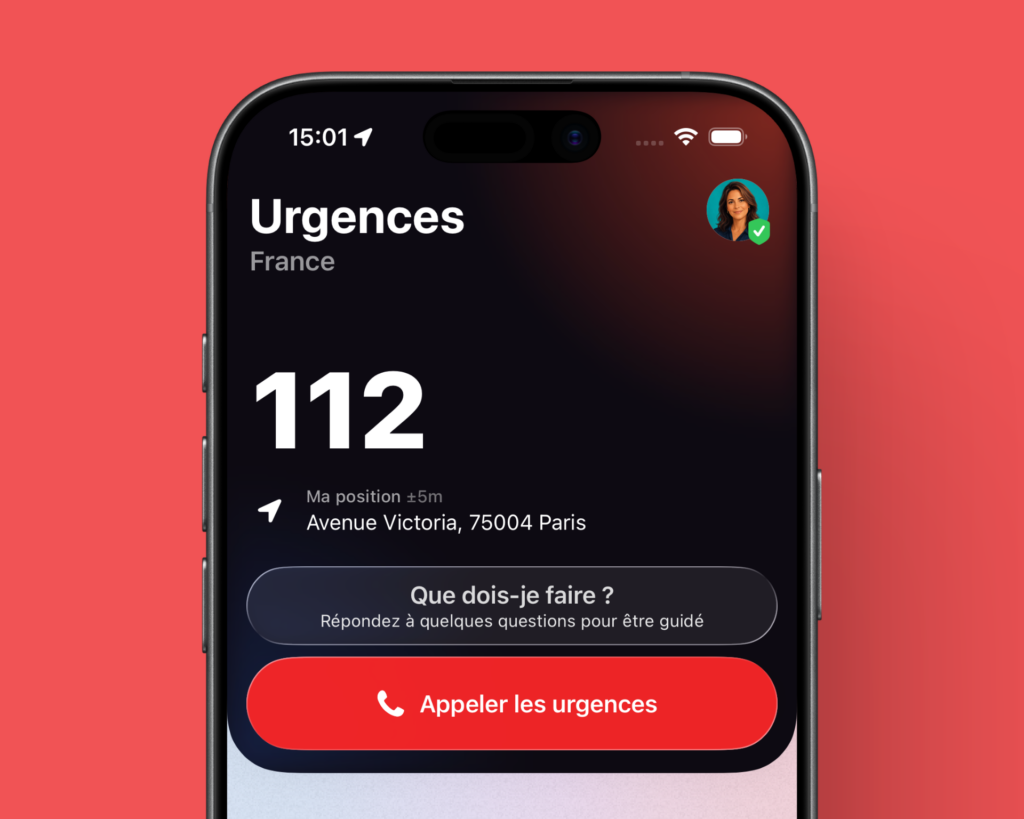
Emergency does not replace these numbers. The app helps you find useful information, important contacts, nearby locations and shortcuts you may need more quickly.
Which emergency app should you install on iPhone?
There is no single app suited to every situation. Some solutions are built into iPhone, while others are specialized.
- iPhone Emergency SOS lets you quickly call emergency services from your iPhone.
- Apple Medical ID displays important health information from the Lock Screen.
- Urgence 114 is the official public service for contacting emergency services without a standard voice call.
- Staying Alive specializes in cardiac arrest, defibrillators and citizen responders.
- Emergency centralizes useful numbers, medical profiles, emergency locations, widgets and essential shortcuts.
The most effective approach is to combine these tools. Emergency SOS and Apple Medical ID should be configured. Urgence 114 is essential for the people concerned. Staying Alive is highly relevant for cardiac arrest. Emergency completes this preparation with a broader approach.
Compare Emergency, iPhone SOS, Staying Alive and Urgence 114
Display your Medical ID on the iPhone Lock Screen
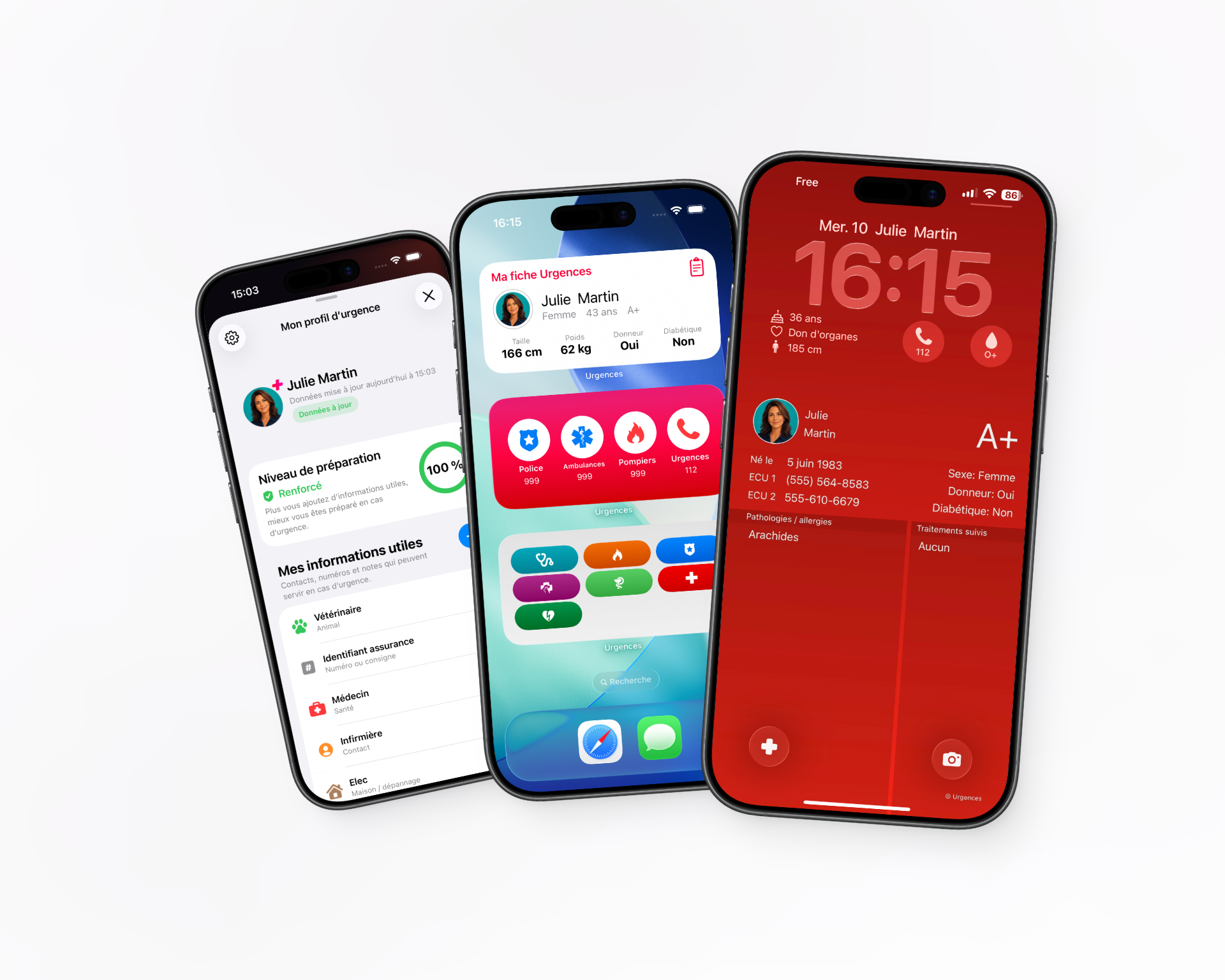
Apple Medical ID is an important feature. It can contain useful information in case of an accident or medical incident: allergies, treatments, medical conditions, blood type, emergency contacts and other important details.
To make it truly useful, you need to check that it is accessible from the Lock Screen. Without this option, someone helping you may not be able to view your information if your iPhone is locked.
The Emergency app can complement this profile with dedicated medical profiles, organized information and widgets designed for quick access. This can be useful for yourself, but also for a child, an elderly relative or a vulnerable person.
Call emergency services quickly from Apple Watch
Apple Watch can be valuable in an emergency, especially if your iPhone is not accessible. Apple Watch Emergency SOS lets you call emergency services quickly from your watch.
This is particularly useful in the event of a fall, medical incident, domestic accident, sports activity or any situation where your phone is in a bag, another room or out of reach.
Emergency does not replace Apple Watch Emergency SOS. However, the app can complement watch use with quick access, medical information and features designed to be available at the right moment.
Find a defibrillator, pharmacy or hospital near you
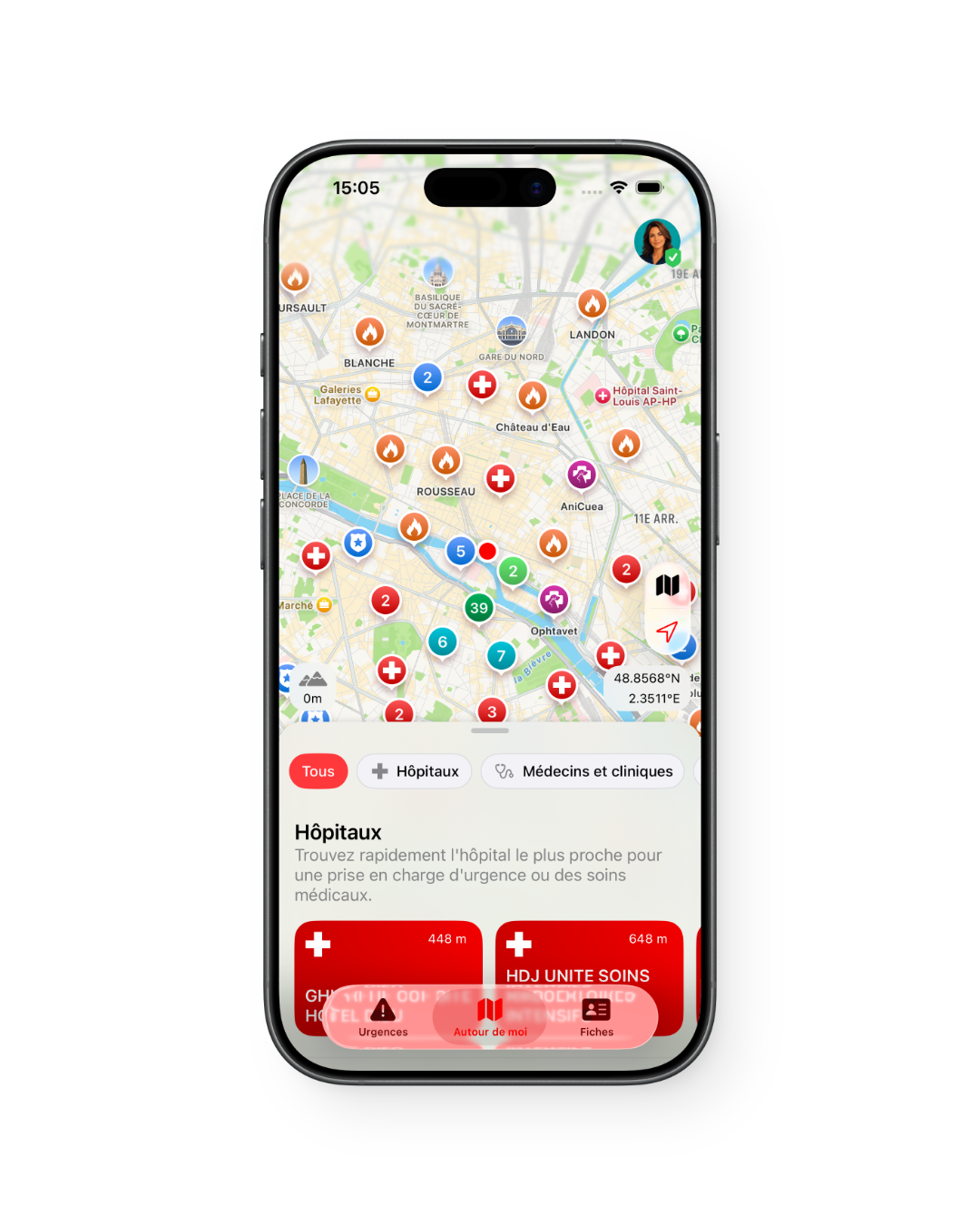
In some situations, it can be useful to quickly locate a nearby place: defibrillator, pharmacy, hospital, police, fire station or veterinarian.
Emergency provides a map of useful places around you based on the data available in your area. The goal is to reduce the time lost searching for information during an emergency.
However, this feature should be used with caution. A location shown on a map may be closed, inaccessible or unsuitable for the situation. In a life-threatening emergency, you should call emergency services before looking for a place on a map.
Prepare for emergencies for yourself, your family or your loved ones
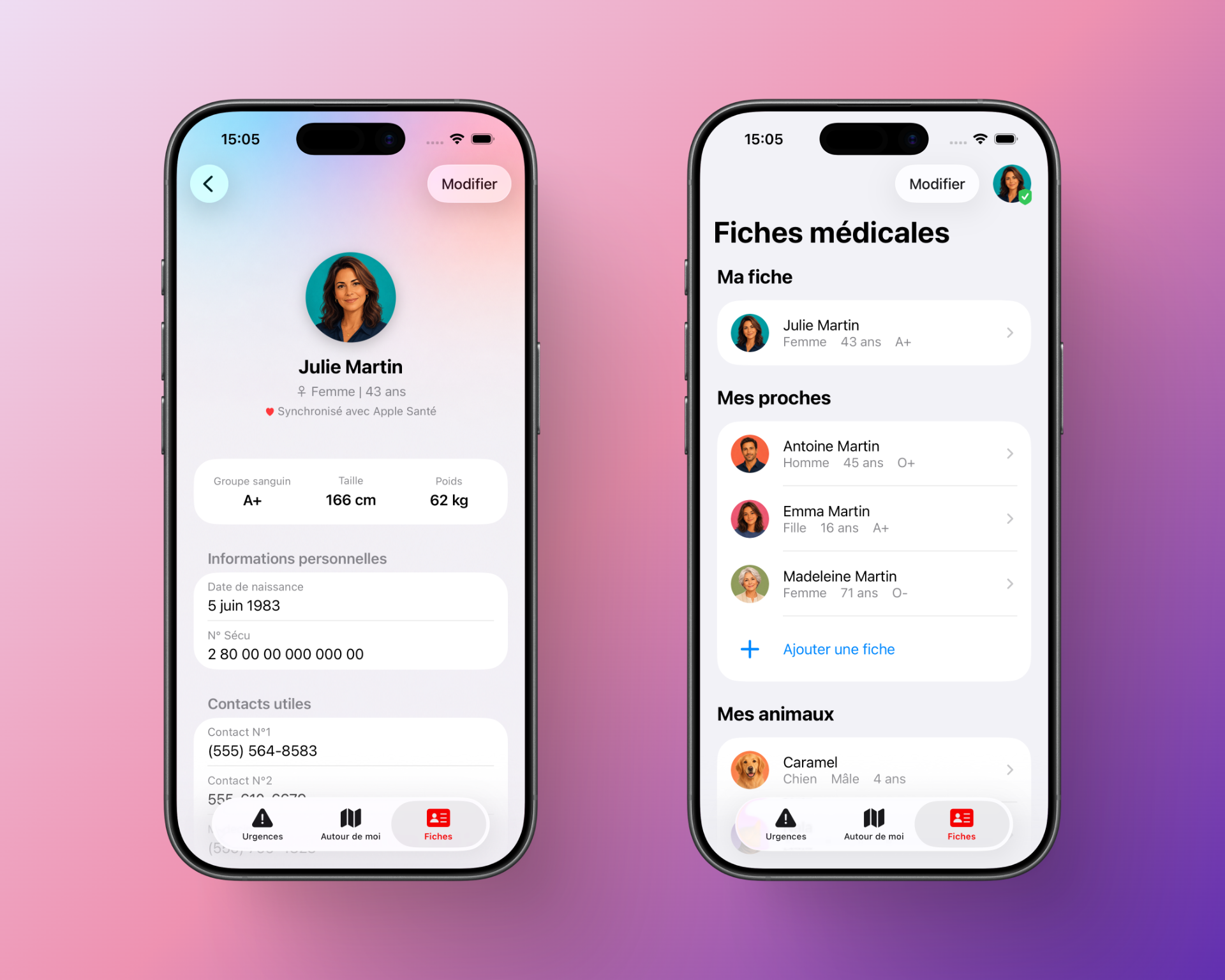
An emergency does not always only concern the person who owns the iPhone. It may also involve a child, a spouse, an elderly parent, a vulnerable loved one or even a pet.
Emergency lets you gather important information for several situations: emergency contacts, doctor, pediatrician, treatments, medical conditions, medical information, veterinarian, usual hospital or pharmacy.
This approach is particularly useful for families, caregivers and people who want to avoid searching for important information at the wrong moment.
An emergency app must be transparent about its limits
A good emergency app must clearly state what it does, but also what it does not do.
- It does not replace official emergency services.
- It does not replace a medical diagnosis.
- It does not replace first aid training.
- It does not guarantee that a listed place is open or available.
- It must never delay a call to 15, 17, 18, 112 or 114.
Emergency is an assistance and preparation app. Its role is to help you access the right information and shortcuts faster, not to replace emergency professionals.
Personal data and medical information
Emergency information is sensitive. Before filling in a medical profile, you should only include data that is genuinely useful: important treatments, allergies, critical medical conditions, contacts to notify, doctor or information essential to care.
The easier information is to access, the more carefully you should consider what you agree to display. The goal is not to fill in everything, but to make available the information that can truly help in case of an accident, medical incident or emergency.
It is recommended to keep your profile up to date and remove information that is no longer useful.
Why use Emergency alongside iPhone features?
iPhone already offers important features, but they are spread across Health, Contacts, Maps, Phone, Apple Watch, SOS settings, widgets and specialized apps.
Emergency brings these needs together in a more direct way:
- find useful emergency numbers;
- access a medical profile;
- prepare information for several loved ones;
- display useful information with widgets;
- locate emergency places around you;
- consult first aid instructions;
- use shortcuts on iPhone and Apple Watch.
Emergency is therefore useful if you want to prepare your iPhone before a problem happens, instead of having to search for the right information under stress.
Download Emergency on the App Store
Frequently asked questions
What is the best emergency app on iPhone?
The best solution depends on the need. iPhone Emergency SOS is essential for calling quickly. Urgence 114 is essential for people who cannot make a voice call. Staying Alive specializes in cardiac arrest. Emergency is useful for centralizing numbers, medical profiles, widgets and useful locations.
Does Emergency replace iPhone Emergency SOS?
No. iPhone Emergency SOS should remain configured. Emergency complements it by organizing medical information, numbers, shortcuts and emergency locations.
Does Emergency replace Apple Medical ID?
No. Apple Medical ID remains important. Emergency can complement it with additional profiles, widgets and information useful in everyday life.
Can medical information be displayed on the Lock Screen?
Yes, with Apple Medical ID if it is configured to be visible from the Lock Screen. Emergency can also complement this approach with its widgets and medical profiles.
Does Emergency work abroad?
Emergency provides information according to countries and available data. When traveling, it is recommended to check the emergency numbers of the destination country before departure. In Europe, 112 is the emergency number to know.
Does Emergency show defibrillators near me?
Yes, when data is available in the relevant area. In case of cardiac arrest, you must call emergency services immediately and start the appropriate actions if you are trained or guided.
Is Emergency useful for parents?
Yes. The app can be useful for preparing a child’s medical information, keeping important contacts, finding a pediatrician, pharmacy or hospital, and quickly accessing useful information in case of a problem.
Useful sources
- Service-Public.fr: emergency numbers in France
- Apple: set up Medical ID on iPhone
- Apple: use Emergency SOS on Apple Watch
- Urgence 114: official public service
Important: in a life-threatening emergency or immediate danger, call emergency services. An app can help you find information, but it never replaces emergency services.